Social Canvas
Pink Canva Website Template (MRR)
Pink Canva Website Template (MRR)
Couldn't load pickup availability
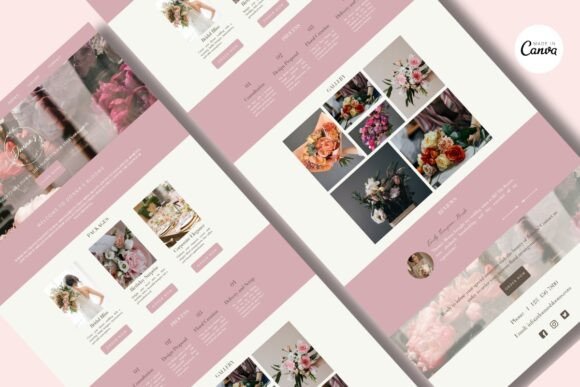
Canva Website Template | Canva Florist Website Template | Small Business Website
After your purchase, you’ll receive a downloadable PDF file with a direct link to access to the Canva Website Template.
Here’s how to get started:
1. Click on the “Edit Your Template” above.
2. You will be redirected to the Canva website.
3. Log in to your Canva account or sign up for a new account (it’s free!).
4. Once logged in, the template will open in Canva.
5. Customize the template to your liking, and you’re ready to go!
Benefits of Choosing Canva Website:
Free Hosting
Easy to Edit
No Coding Required
Responsive Design
Built-in SEO Optimization
Pages Includes in the Canva Website Design
Introduction Page
Our Commitment
Packages
Process
Gallery
Open Hours
About Us
Team
Testimonials
Contact
Images can be easily changed and resized with simple drag-and-drop functionality. You can also use your brand fonts and colors on the template.
Can you use Canva as a website?
Yes, on the free my.canva.site domain, Canva Free users can publish up to five (5) websites, while Canva Pro users can publish unlimited websites. Canva Pro users can also connect up to five domains to Canva.
How can you publish a Canva website?
Publishing to a free Canva domain:
Click on the Publish Website Button on the editor menu.
Select the Free domain option, and click Continue.
If you’re publishing for the first time, select a subdomain and continue. Note that the subdomain can’t be changed afterward.
Share